Automate Ads
This is a detailed overivew an AI workflow I develop to create a product shoot for a conceputal advert, using AI node base tools. Total number of final assets created: 56
00

problem
Creating product ads should not feel like running a marathon… but it usually does. You bounce between Photoshop, an AI generator, After Effects, resizing tools, and whatever else you need just to get a single campaign out the door. And if you want both static and motion versions? That’s double the work. You end up rebuilding layouts from scratch, manually cropping for different formats, rewriting text, fixing weird AI artifacts, and trying to keep everything looking “on brand.” It’s slow, repetitive, and honestly breaks your creative momentum.
insight
So I built a workflow that basically behaves like a mini creative studio, all in one place. You drop in your product image, pick a few settings, and the system handles everything: it generates the hero visual, builds the layout, writes the text, crops for all the social sizes, upscales the final image, and even creates subtle motion versions for video ads. Instead of juggling five tools, the whole process runs inside one automated pipeline. The result? Consistent, polished static ads and motion assets, all produced in minutes — not hours. It keeps the quality high, the brand intact, and frees you up to focus on the creative decisions, not the repetitive production work.
Turning product photography into an automated, AI-powered system that adapts to any product. I built a workflow that transforms static shoots into scalable, ready-to-use visuals for every digital channel.
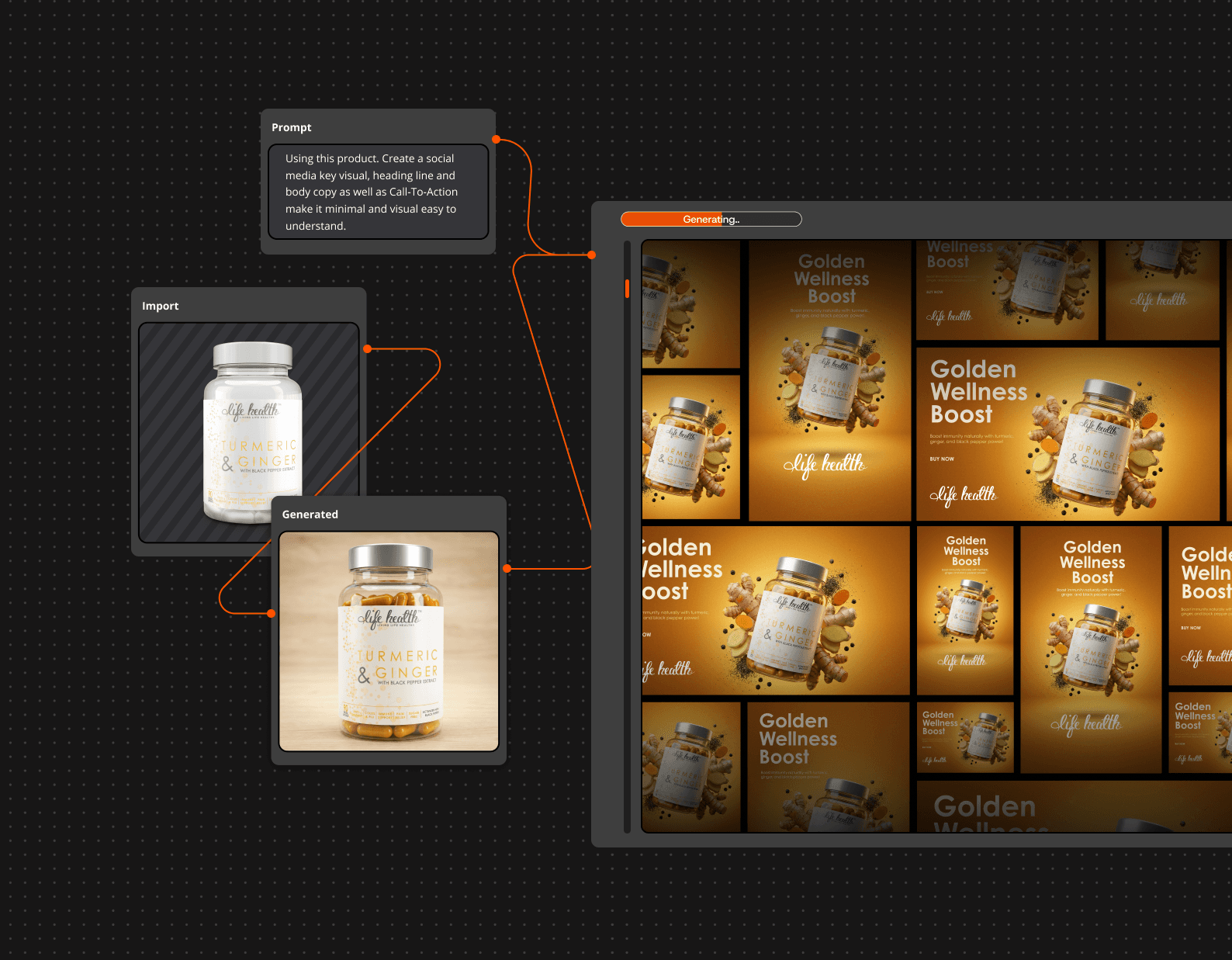
The workflow was built in Weavy, using a node-based AI architecture that connects data inputs, visual generation, and automated layout assembly. Each node performs a specific function — from processing product imagery and extracting key visual elements to dynamically generating compositions aligned with predefined brand styles. By combining automation logic, prompt-based design rules, and reusable templates, the system ensures every output remains both visually consistent and easily adaptable across products and formats.
year
2025
timeframe
2 days
tools
Weavy AI | Photoshop
category
AI Workflow
01

This is a bird's view of the full workflow created using combination of nodes and prompts
02

Unlimited rollout potential
03

Final Key visual


